Three reading layouts
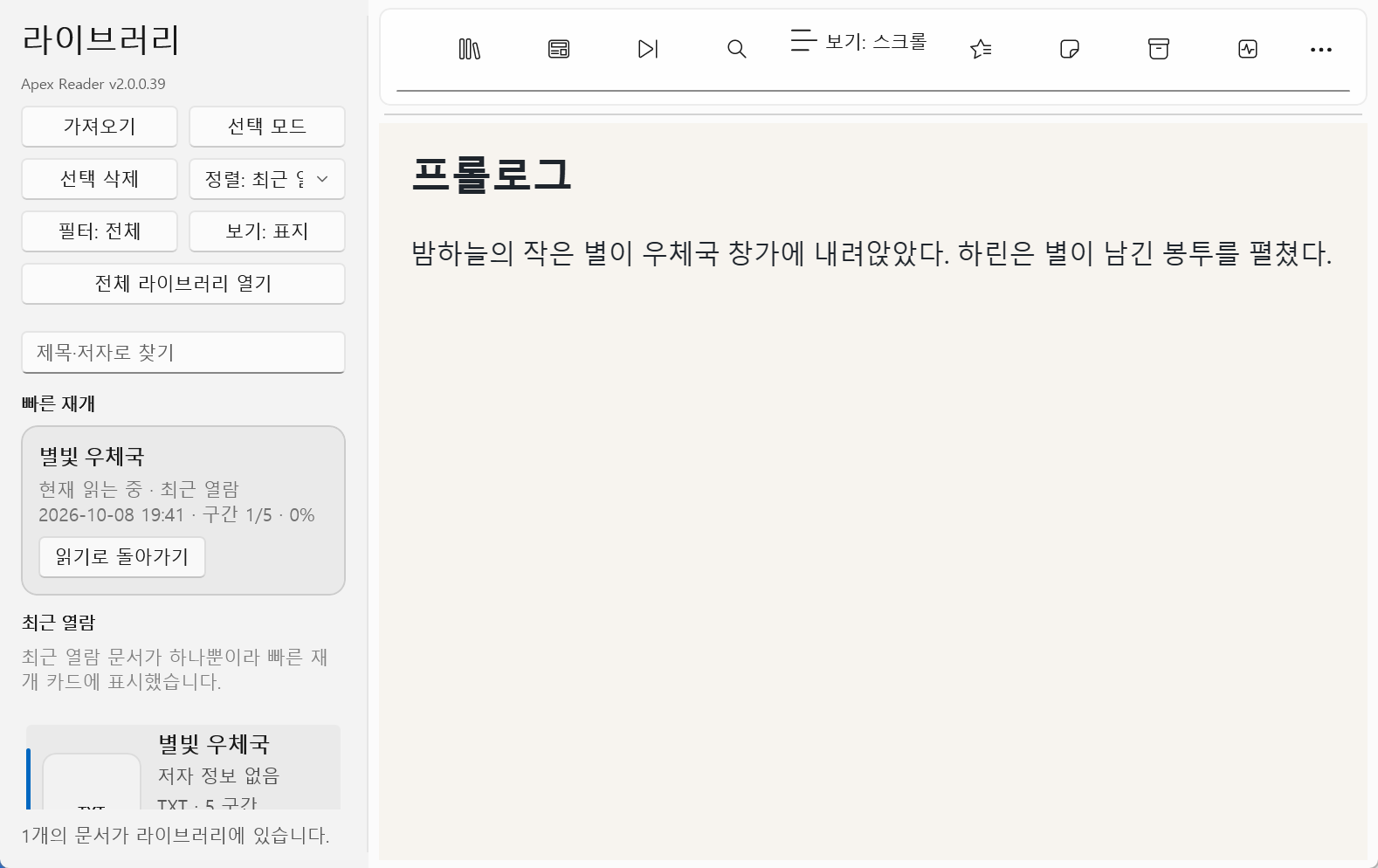
Switch between scrolling, single-page and facing-page views with the top view-mode button. Move automatically between chapters.
EPUB & TXT reader
Read your way, with a look that feels right.
Read EPUB and TXT with scrolling, single-page or facing-page layouts. Customize typography and themes, search text and resume from saved reading positions.
Installers and source code are currently private.
 View larger
 EPUB & TXT reader
A Windows reader built with WinUI 3 and WebView2. Focus on the document while tailoring layout, text spacing and background colors. Reading positions are saved and restored automatically.
WHAT YOU CAN DO
Switch between scrolling, single-page and facing-page views with the top view-mode button. Move automatically between chapters.
Choose a system font or enter one, and adjust font size, line and paragraph spacing, margins and facing-page gaps. Set alignment, 0–3em indentation and -1–3px letter spacing.
Choose Light, Sepia, Cream, Green, Blue or Dark themes, or set custom background, text and accent colors.
Jump through the table of contents, search words in the document and manage bookmarks. Resume at your saved position when reopening.
Navigate page views by clicking or tapping the left/right areas, scrolling the wheel, or using PageUp/Down and arrows. Use Ctrl+F to search and Ctrl+, for view settings.
Configure automatic chapter detection to read long TXT files in navigable sections.
IN YOUR EVERYDAY LIFE
Import an EPUB, choose scrolling or page views, and adjust type size, line spacing and theme. Reopen the book to continue from the saved position.
Import your own TXT manuscript and configure automatic chapter detection. Use contents and search to review scenes and words. This is a reading workflow, not a text editor.
Open an EPUB exported from Txt2Epub or NovelStudio and inspect its text and navigation in facing-page view. This does not replace full EPUB standards validation.
YOUR FIRST STEPS
This illustrates the program’s workflow. Installation files and source code are not publicly available yet.
Import an EPUB or TXT document.
Choose a layout and use Ctrl+, to configure typography and themes.
Navigate using contents and search, and save bookmarks.
Reopen the document to continue from your saved position.
BEFORE YOU START
THINGS TO KNOW
Ctrl+F opens search, F3/Shift+F3 moves through results and PageDown/PageUp turns pages. Left/right arrows apply in page views.
Currently in private development; installation files and source code are not publicly available.
Information checked on October 8, 2026, against repository documentation. Availability and requirements may change.
Not publicly released
This program is currently private. Source code and installation files are not publicly available. Download information will be provided here when a public release is ready.