Projects, chapters & scenes
Create and open projects, manage manuscript content by chapter and scene, store settings and text in local SQLite and create backups.
Local AI novel writing
You shape the story. AI helps you write it.
A Korean-first writing workspace for characters, world settings, chapters and scenes. Continue with local Ollama models and review generated text before applying it.
Installers and source code are currently private.
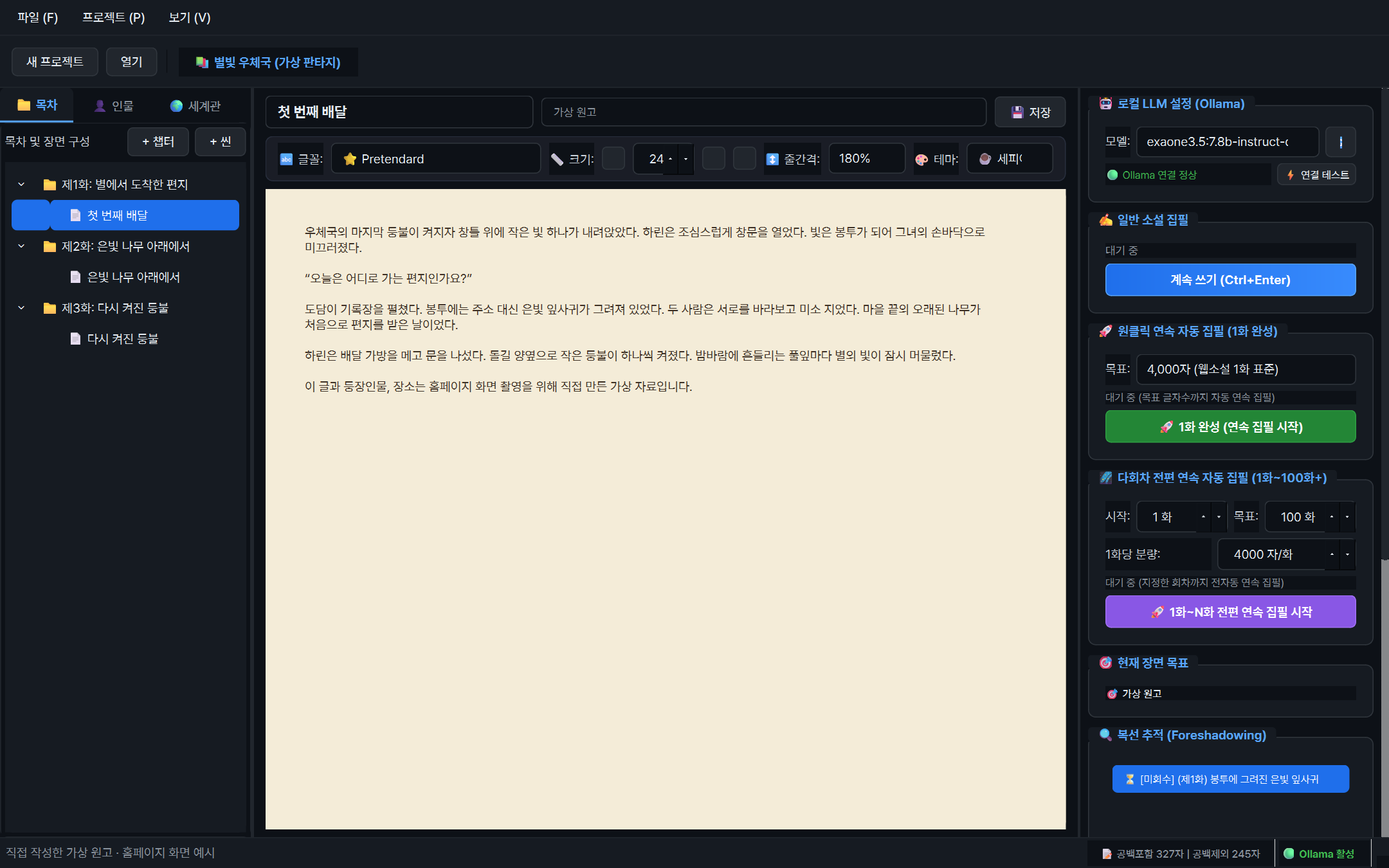 View larger
 Local AI novel writing
A Korean long-form writing application in development, prioritizing Windows 11. Authors define the story and local language models help write scenes. Project structure, manuscript editing and AI assistance are brought together.
WHAT YOU CAN DO
Create and open projects, manage manuscript content by chapter and scene, store settings and text in local SQLite and create backups.
Connect to local Ollama, choose a model and generate text as a stream. Continue, regenerate or stop generation as you work.
Review AI text in a temporary preview, apply or discard it, and request rewrites of selected passages.
Manage characters and world settings, separating confirmed Canon from AI Proposals. Accept or reject proposed settings.
Extract memories and setting proposals from scenes, and track foreshadowing. Generation context incorporates Korean style, perspective and character settings.
Export chapter and scene manuscripts to TXT, Markdown or EPUB for use in other editing tools and ebook readers.
IN YOUR EVERYDAY LIFE
Create characters, world settings, chapters and scenes, then write while keeping settings alongside your manuscript. Use foreshadowing notes to track elements that return later.
Ask AI to continue from the current text, review its preview, and apply or discard the result. Request rewrites of selected text. Quality and consistency depend on the model and context.
Keep extracted suggestions separate from your established settings. Approve useful proposals and reject unsuitable ones. This does not guarantee that all setting conflicts are prevented.
YOUR FIRST STEPS
This illustrates the program’s workflow. Installation files and source code are not publicly available yet.
Prepare Python dependencies, Ollama and a local model.
Create a project with characters, world settings, chapters and scenes.
Write text or ask AI to continue, then review its preview.
Apply useful text and setting proposals, then back up or export the manuscript.
BEFORE YOU START
THINGS TO KNOW
This application is in development. These features are supported by inspected code; planned features are not all complete production capabilities.
Generation quality and consistency depend on the model and context. Review AI output and back up important manuscripts.
Information checked on October 8, 2026, against repository documentation and implementation. Availability and requirements may change.
Not publicly released
This program is currently private. Source code and installation files are not publicly available. Download information will be provided here when a public release is ready.