Text cleanup & encoding
Add files or folders, or drag and drop TXT files. Detect UTF-8, CP949, EUC-KR and UTF-16, reflow paragraphs and review potential OCR character errors.
Ebook creation & editing
Turn manuscripts into ebooks,
and ebooks into your library.
Detect chapters in TXT manuscripts and create EPUBs with covers and navigation. Edit existing ebooks, enrich their metadata and append new episodes.
Installers and source code are currently private.
 View larger
 Ebook creation & editing
A Windows application for creating EPUB 3.0 ebooks from Korean manuscripts. It combines text cleanup, chapter review, batch conversion and library management, including Korean prologues, side stories and volume/chapter headings.
WHAT YOU CAN DO
Add files or folders, or drag and drop TXT files. Detect UTF-8, CP949, EUC-KR and UTF-16, reflow paragraphs and review potential OCR character errors.
Find chapter candidates using heading patterns and numbering continuity. Review titles and inclusion before conversion, including hierarchical volume/chapter navigation.
Manage titles, authors, series, genres, publishers, dates, descriptions and completion status. Review metadata candidates before applying them, and generate or optimize covers.
Clean HTML and empty paragraphs, remove front-body contents lists and adjust fonts, spacing and indentation. Merge a leading subtitle into its chapter heading.
Append new EPUB episodes with checks for overlaps, gaps and earlier numbering. Organize metadata, filenames and genre folders in batches, or extract ebook text to TXT.
Save cleaned TXT separately. Back up EPUBs before editing and check temporary output before replacement. Undo the last operation or restore a selected book.
IN YOUR EVERYDAY LIFE
Add your TXT manuscript, review chapter headings, and create an EPUB with a cover and author name. Read it in a reader such as ApexReader to review flow and readability.
Review titles, series, genres and covers in your EPUBs. Update selected metadata, filenames and genre folders to make your library easier to browse.
Append an EPUB containing new episodes and check for overlaps, missing or earlier numbers. Review the saved navigation and text; restore a backup if needed. Automated checks do not resolve every manuscript issue.
YOUR FIRST STEPS
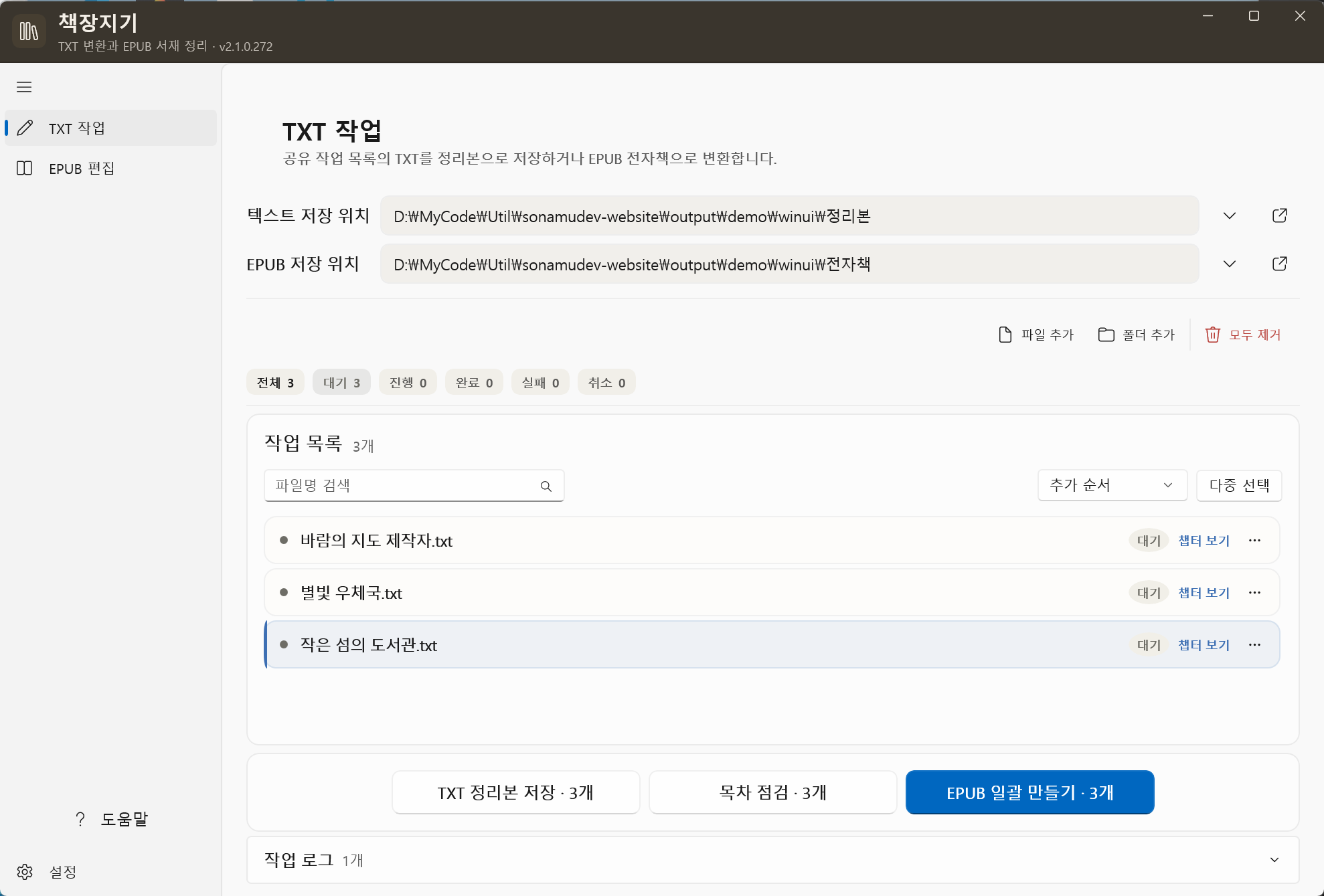
This illustrates the program’s workflow. Installation files and source code are not publicly available yet.
Add TXT files or folders and choose output locations.
Review detected chapter titles and inclusion before conversion.
Create EPUBs and review conversion results.
Edit metadata and covers, then inspect the output in a reader.
BEFORE YOU START
THINGS TO KNOW
Chapter detection depends on the manuscript. Review navigation and output text for important books. Basic structural checks do not replace a full EPUBCheck validation.
External metadata search depends on connectivity, keys and service responses. A local NovelMetadata v2 database is searched read-only first. Opening or searching an EPUB alone does not rewrite it.
Information checked on October 8, 2026, against repository documentation. Availability and requirements may change.
Not publicly released
This program is currently private. Source code and installation files are not publicly available. Download information will be provided here when a public release is ready.