Novel search
Search titles, authors, descriptions, covers, genres, publishers, completion status, episode counts and ratings. Candidate matching considers title suffixes and editions.
Novel metadata & library
Connect novel metadata with your EPUB library.
Collect and search novel metadata, match it to your EPUBs and preview changes before applying them. Keep your catalog in a local database.
Installers and source code are currently private.
 View larger
 Novel metadata & library
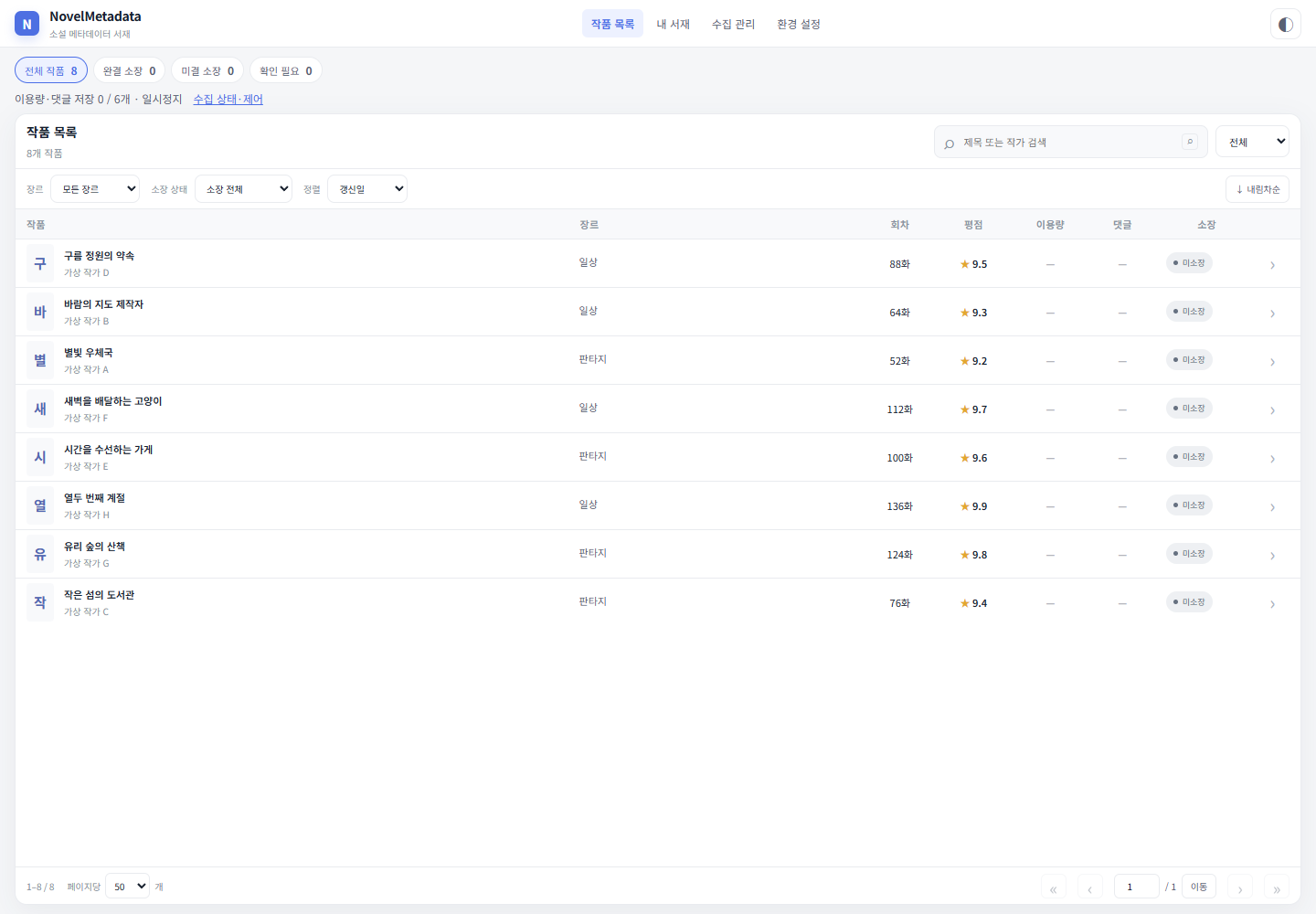
A local Windows catalog and EPUB library manager. It collects Naver Series metadata and matches records with ebooks in your folders. Its Python/FastAPI backend and React interface run at a local browser address.
WHAT YOU CAN DO
Search titles, authors, descriptions, covers, genres, publishers, completion status, episode counts and ratings. Candidate matching considers title suffixes and editions.
Discover works from supported public lists and collect detail records. Resume interrupted runs, retry failures and see access-limit states.
Scan registered EPUB folders, link candidate works, confirm or exclude ambiguous matches, check ownership and open files.
Preview EPUB metadata changes and apply selected fields. Back up the original, and preserve the current file again before restoration.
Configure multiple database backup destinations and retention counts. Export JSON/XLSX and import the earlier C# database into a separate Python database without rewriting the original.
Collect completed-work metrics sequentially in the background and retain their values and collection dates. Export public Kakao sitemap work IDs separately to TSV.
IN YOUR EVERYDAY LIFE
Register library folders and review matching candidates. Confirm similar titles or different editions manually, then select the author, description or cover changes you need.
Search collected titles and authors and match them to owned files. The catalog starts empty, so collect records or import a supported earlier database first.
Use JSON or XLSX exports for classification and review. Read usage and comment metrics alongside their collection dates. Edited JSON/XLSX exports cannot be reimported into the database.
YOUR FIRST STEPS
This illustrates the program’s workflow. Installation files and source code are not publicly available yet.
Install Python 3.13 and run run.bat from an authorized checkout.
Configure library folders and backup destinations in the local web interface.
Collect works and review EPUB matching candidates in your library.
Preview and select changes, or restore backed-up originals when needed.
BEFORE YOU START
THINGS TO KNOW
The catalog starts empty. Novel bodies and episode content are not collected, and Kakao ID exports are not automatically imported as detailed catalog records.
Collection depends on site structure and request limits. Usage metrics may differ from reader counts. JSON/XLSX are review exports and cannot be reimported into the database.
The default database is stored in %LOCALAPPDATA%\NovelMetadata_v2. EPUB changes require the user's selection.
Information checked on October 8, 2026, against repository documentation. Availability and requirements may change.
Not publicly released
This program is currently private. Source code and installation files are not publicly available. Download information will be provided here when a public release is ready.